TRUE Platform · Screen CMS SCREEN OPERATIONS · VIETNAM · 34 PROVINCES

Every screen you own.
One console.

Screen CMS is the content and operations layer for screen networks — connect players, build playlists, schedule channels, control screens remotely, and see exactly what played on each one.

Digital kiosk running Screen CMS
Make time for coffee — English campaign creativeMade fresh. Enjoy every bite. — English campaign creativeA fresh twist — English campaign creativeMove your way — English campaign creativeFresh picks. Every day. — English campaign creative
ONLINE
Make time for coffee
00:06 00:18
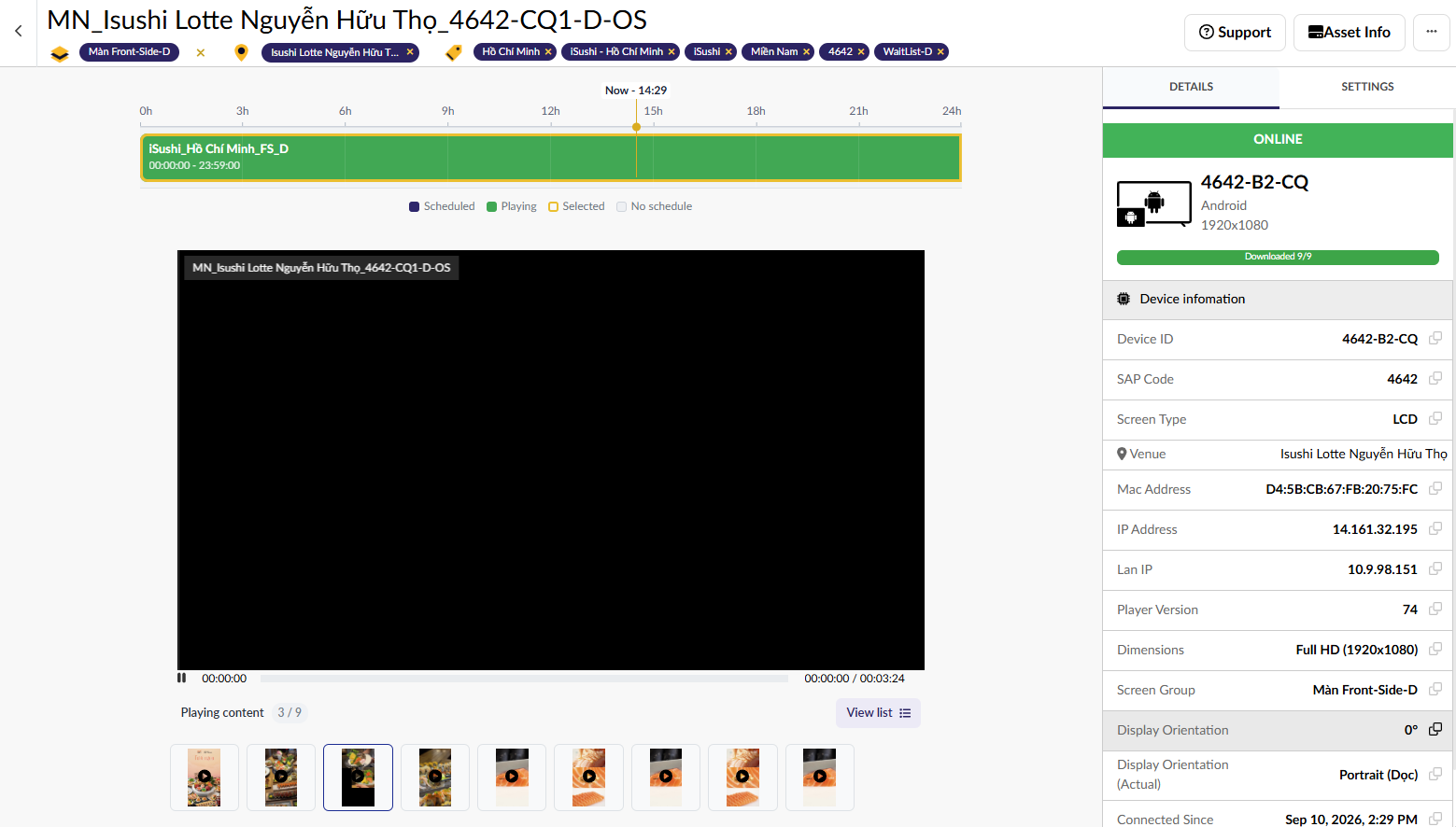
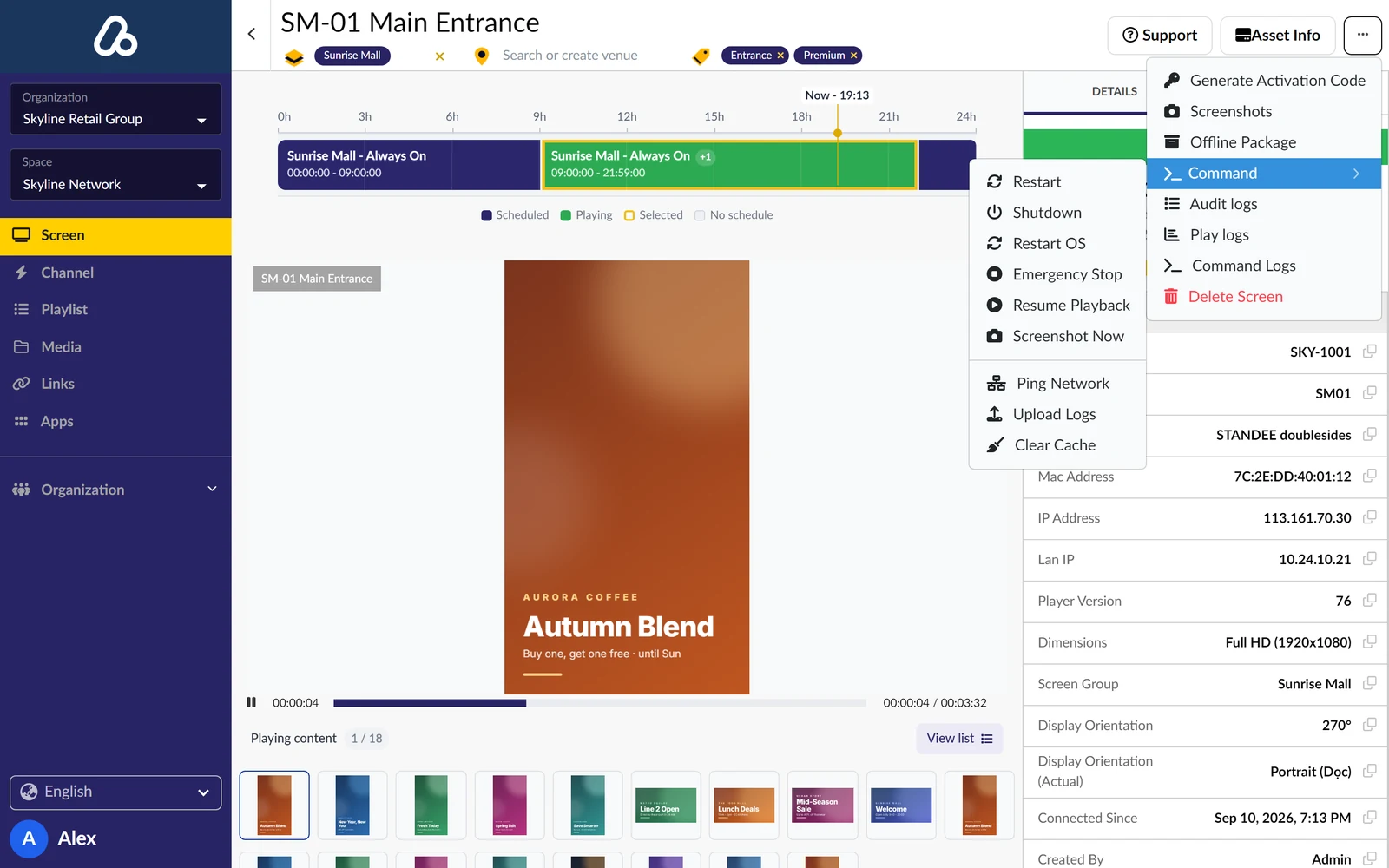
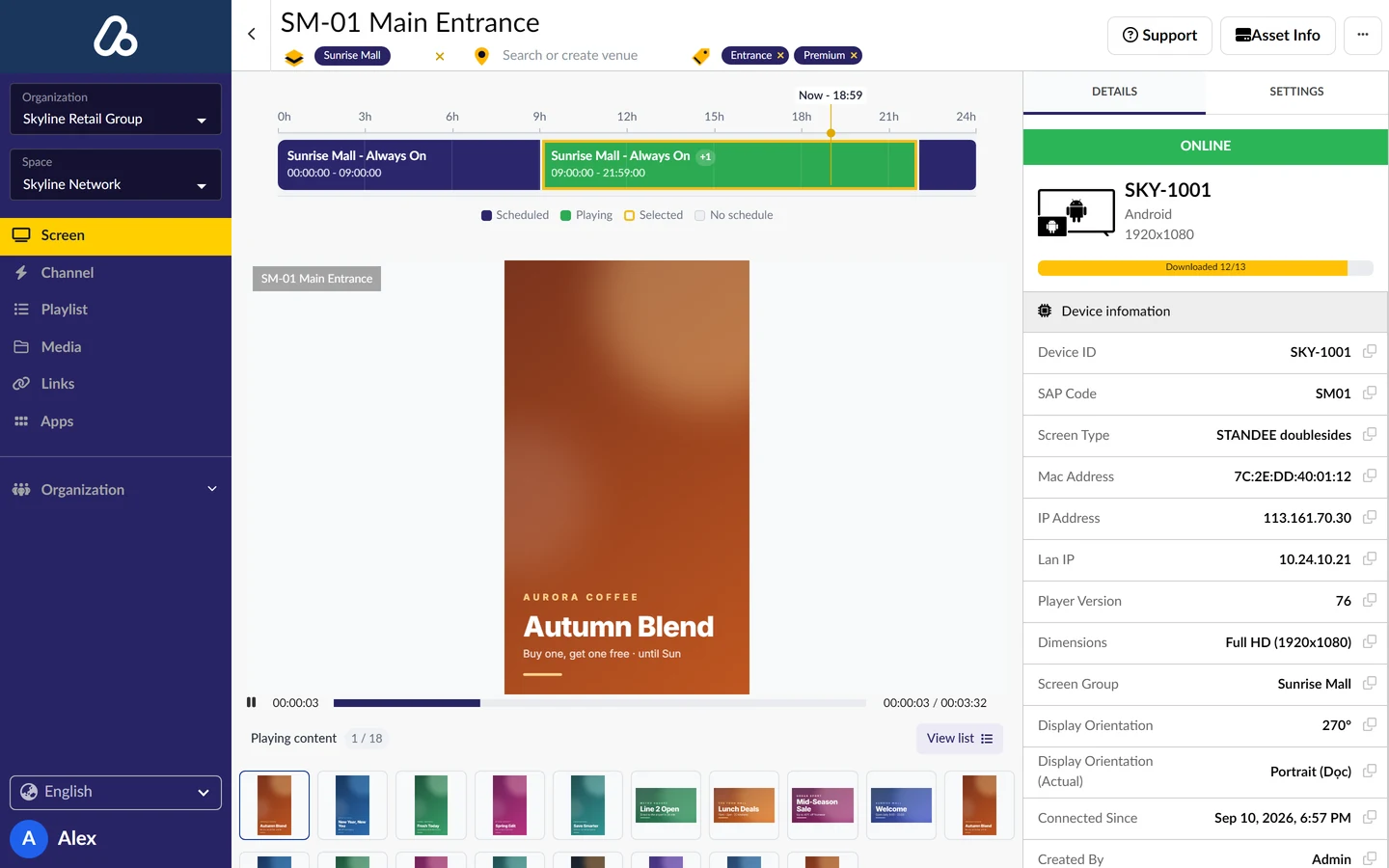
Screen CMS console — schedule timeline, live preview and device information
Make time for coffee — English campaign creativeMade fresh. Enjoy every bite. — English campaign creativeA fresh twist — English campaign creativeMove your way — English campaign creativeFresh picks. Every day. — English campaign creative
ONLINE
Make time for coffee
00:06 00:18
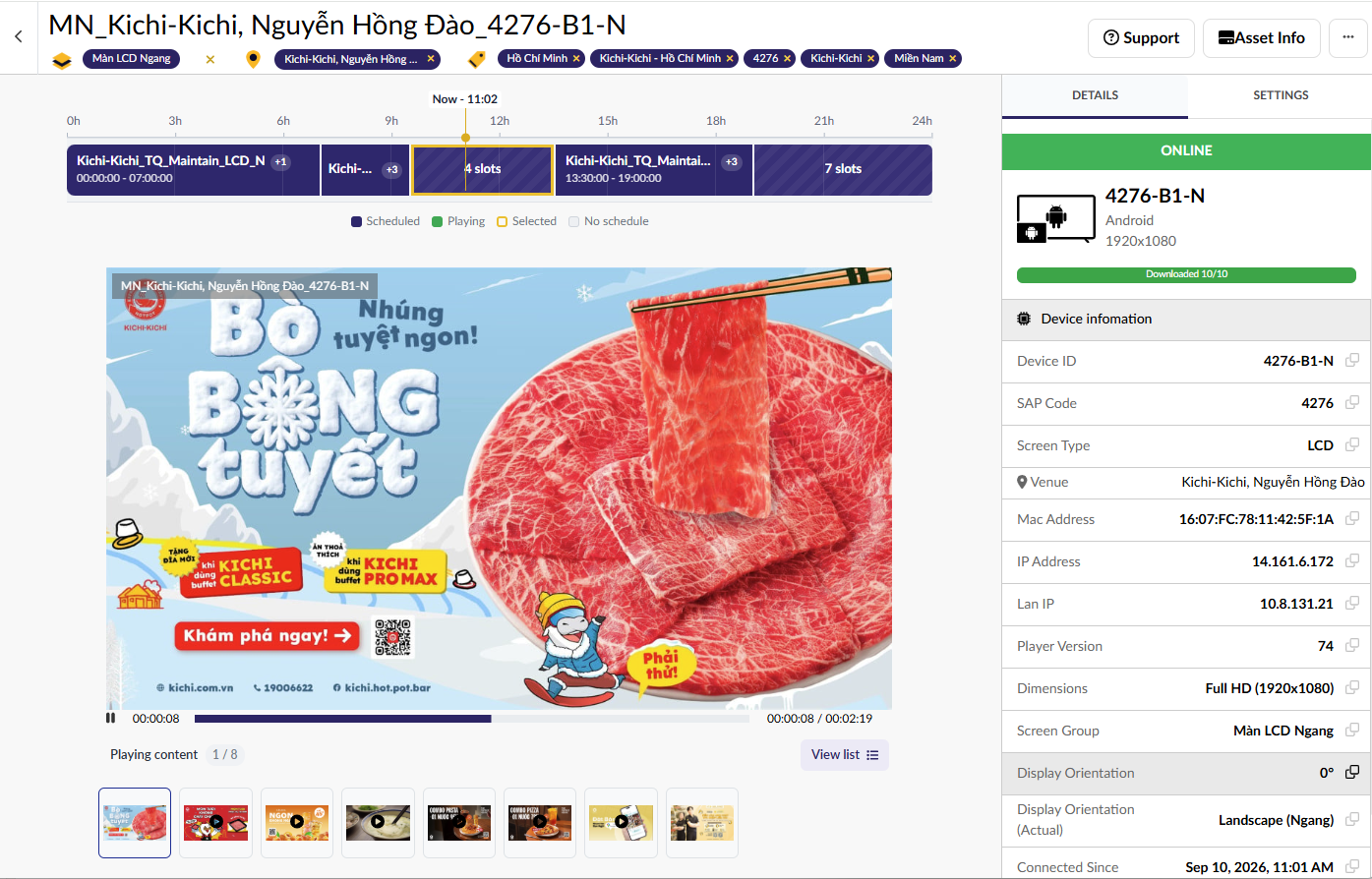
Screen CMS console — landscape screen details, schedule and device information
Make time for coffee — English campaign creativeMade fresh. Enjoy every bite. — English campaign creativeA fresh twist — English campaign creativeMove your way — English campaign creativeFresh picks. Every day. — English campaign creative
2,000+
Screens under management
1,500+
Venues on one console
99.4%
Player uptime
100%
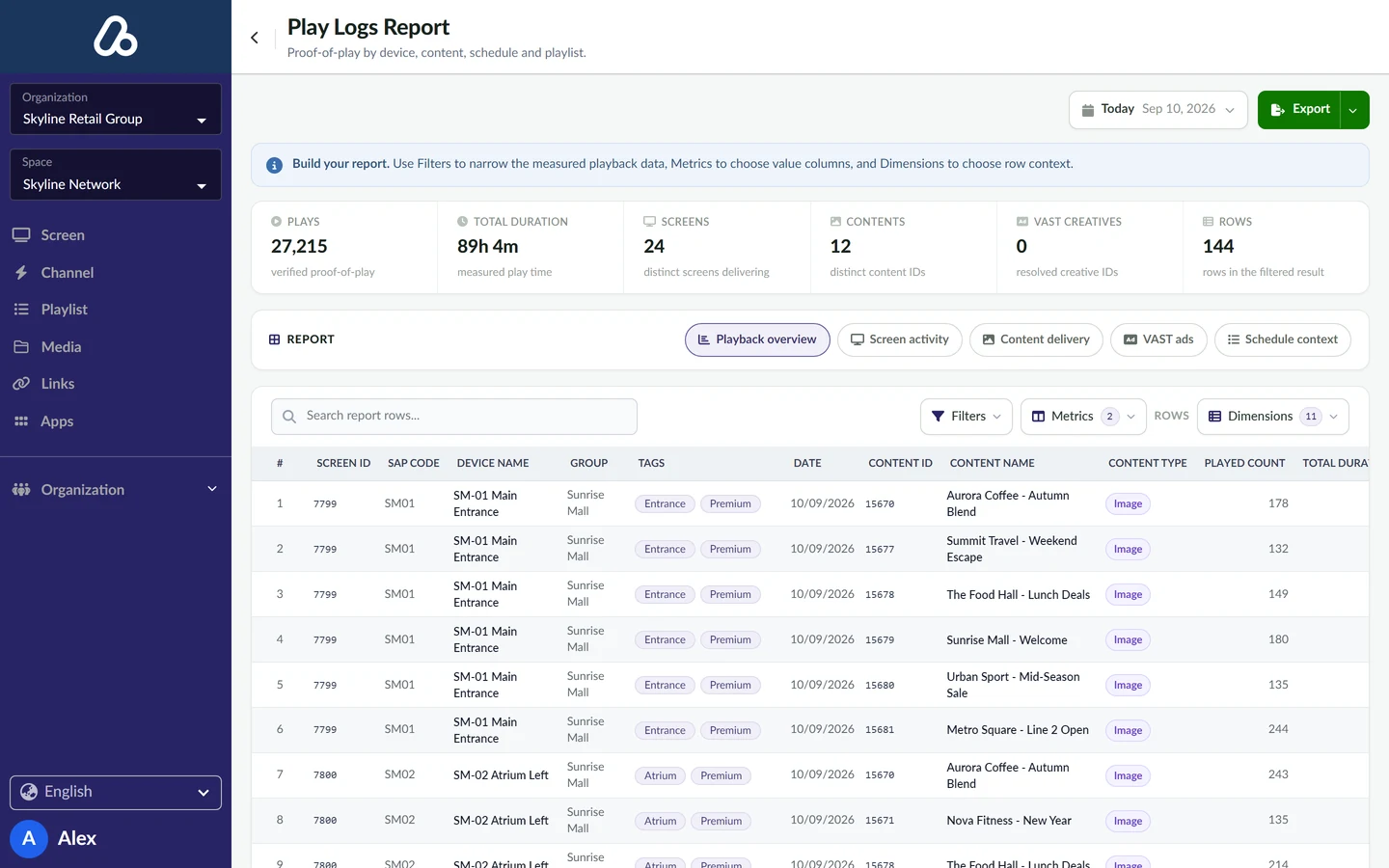
Plays written to Play Logs

Running on retail, mall and venue networks

Screen operations, end to end

From device to play log, in one place

Screen CMS covers the whole operating loop — no spreadsheets between the player on the wall and the report you send out.

One console for the whole network
Connect
DEVICES · GROUPS · TAGS
Build
MEDIA · PLAYLISTS
Schedule
CHANNELS · DAY & TIME
Prove
MONITORING · PLAY LOGS

Publish once to a channel and every targeted screen picks it up — then reports back what it actually played.

Devices

Screens organized the way you operate.

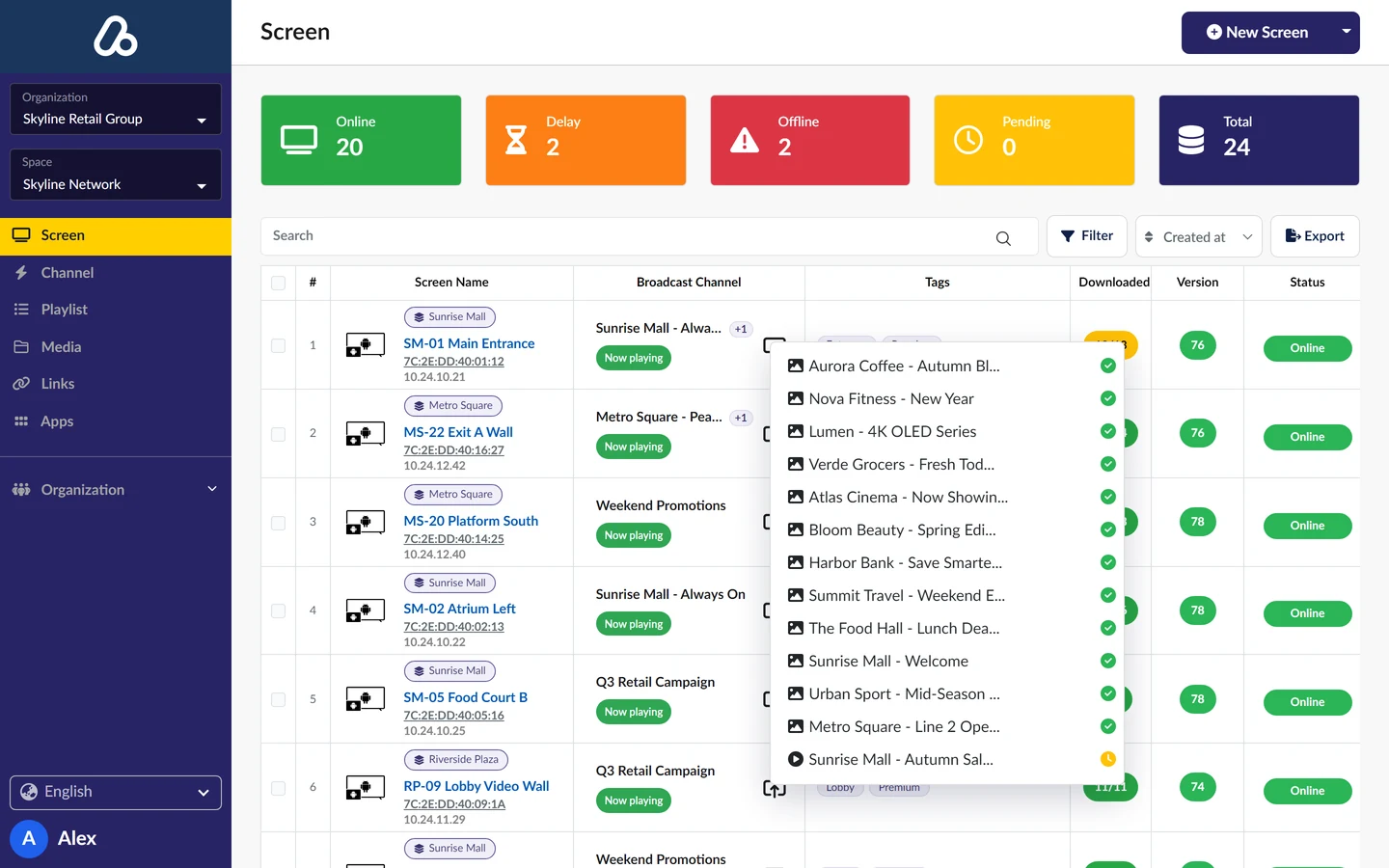
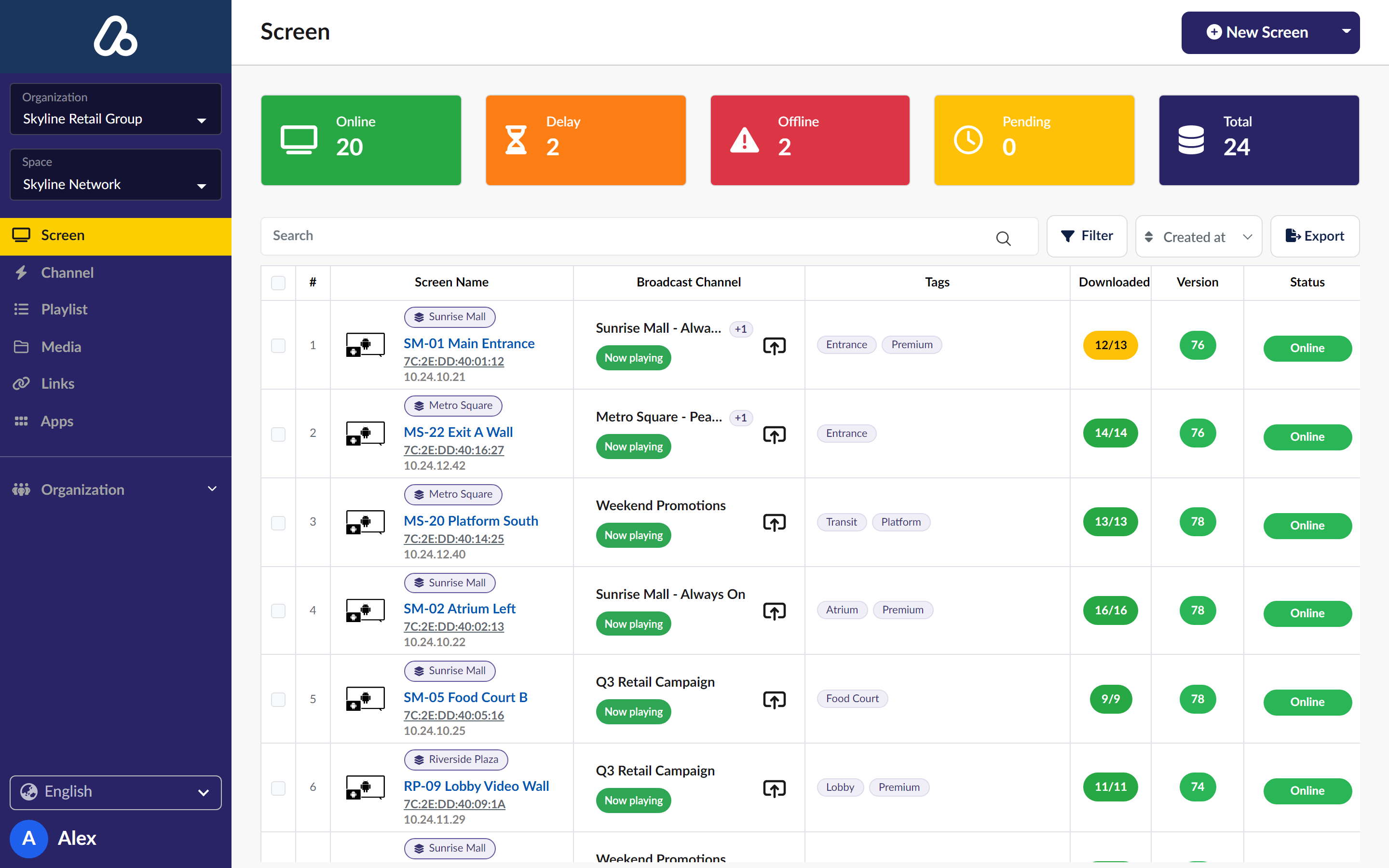
Pair a player in minutes, then structure the network however your team thinks about it — by group, by tag, by space. Target ten screens or ten thousand with the same action, and see device details, orientation and resolution on every one.
Groups Tags Spaces Orientation Resolution
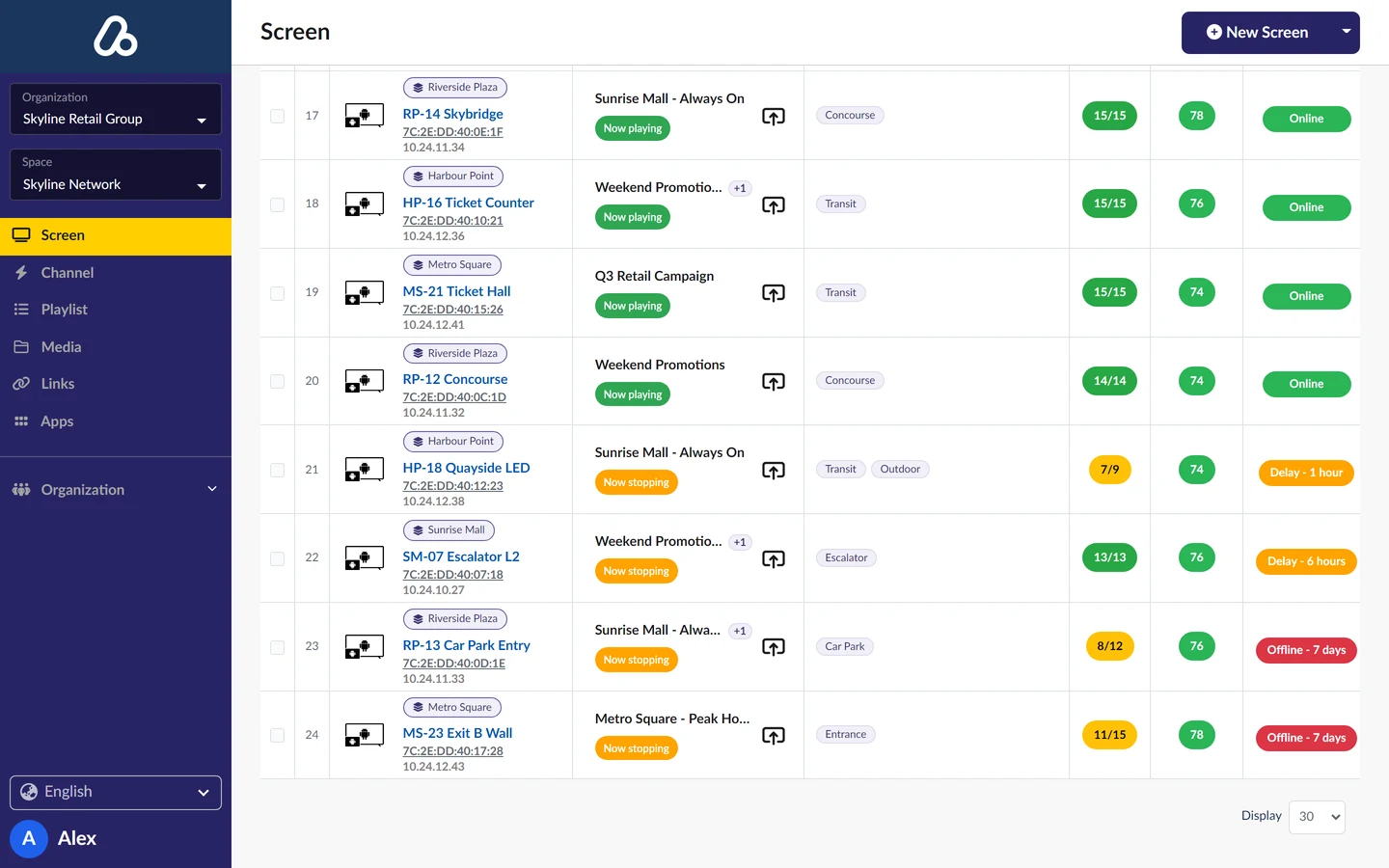
Screen CMS dashboard showing fleet status, venue groups and download progress
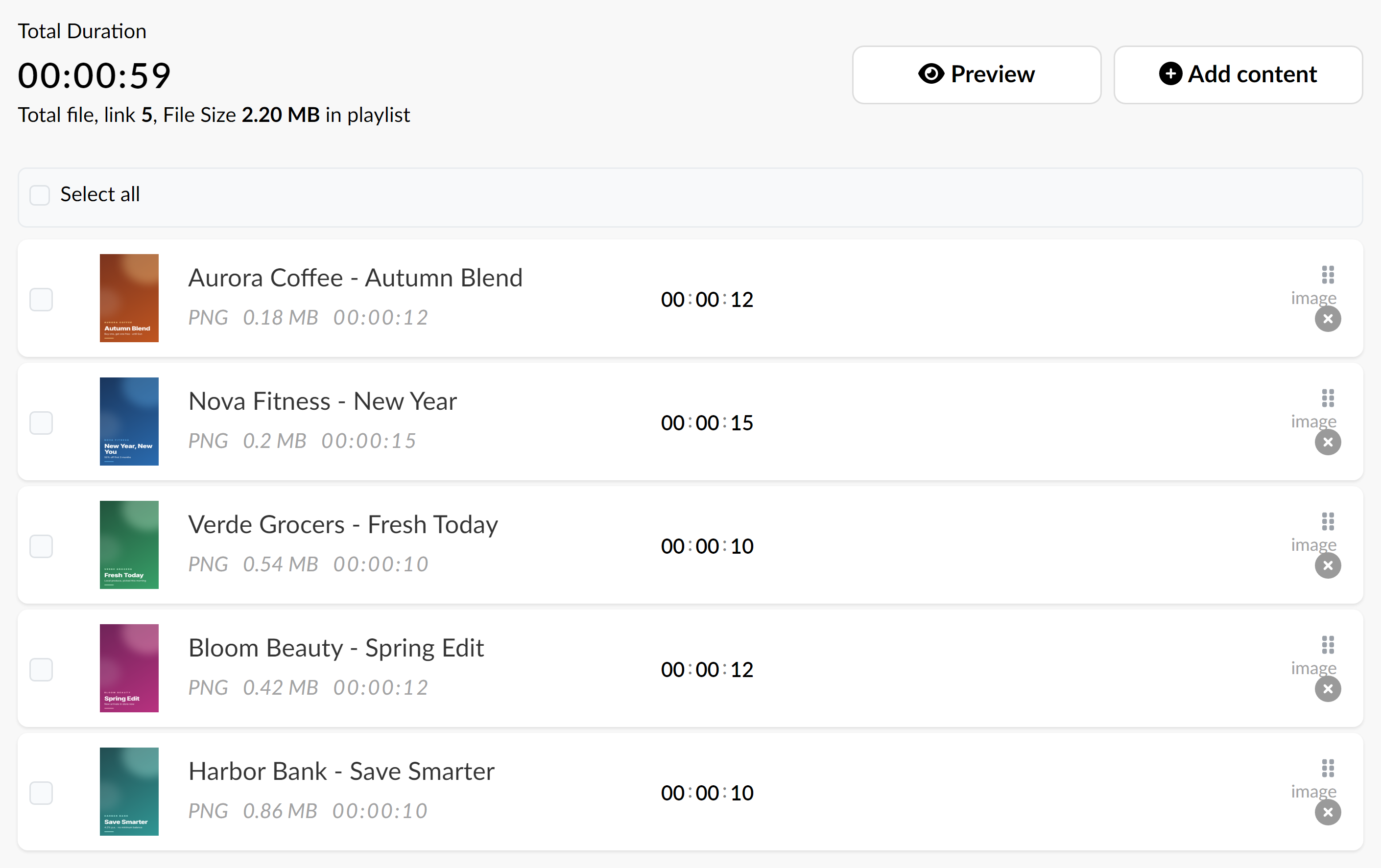
Screen CMS playlist with campaign creatives and playback durations
Content

A media library that becomes a playlist.

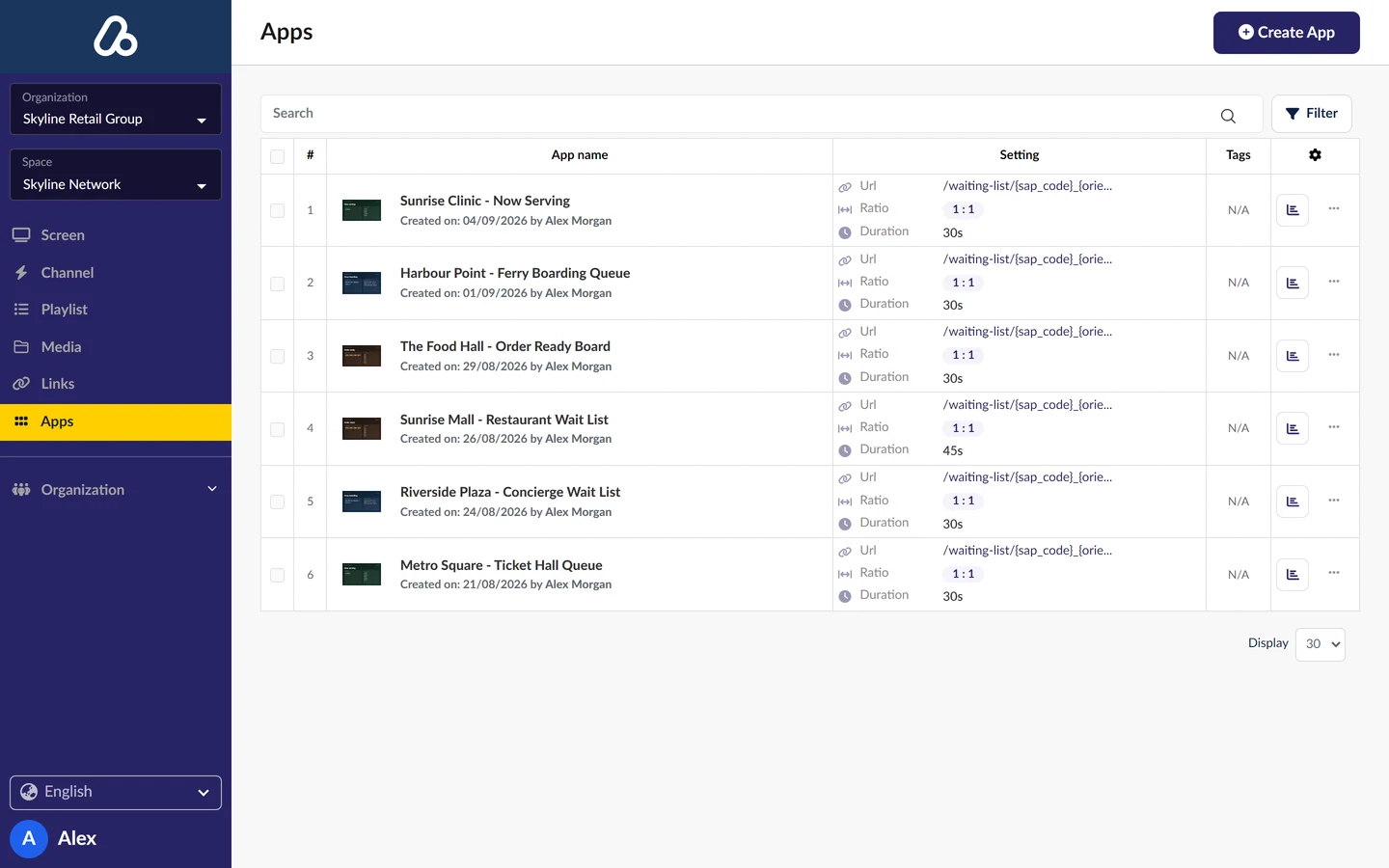
Upload image, video and audio, or point at a supported URL. Everything lands in one library your whole team can reuse — then order it into a playlist and set the duration of each item.

One library — image, video, audio and supported URLs in the same place.
Order and duration — drag items into sequence, set how long each one holds the screen.
Reuse anywhere — one playlist can run on many channels and many screens.
Scheduling

Channels decide what plays, where and when.

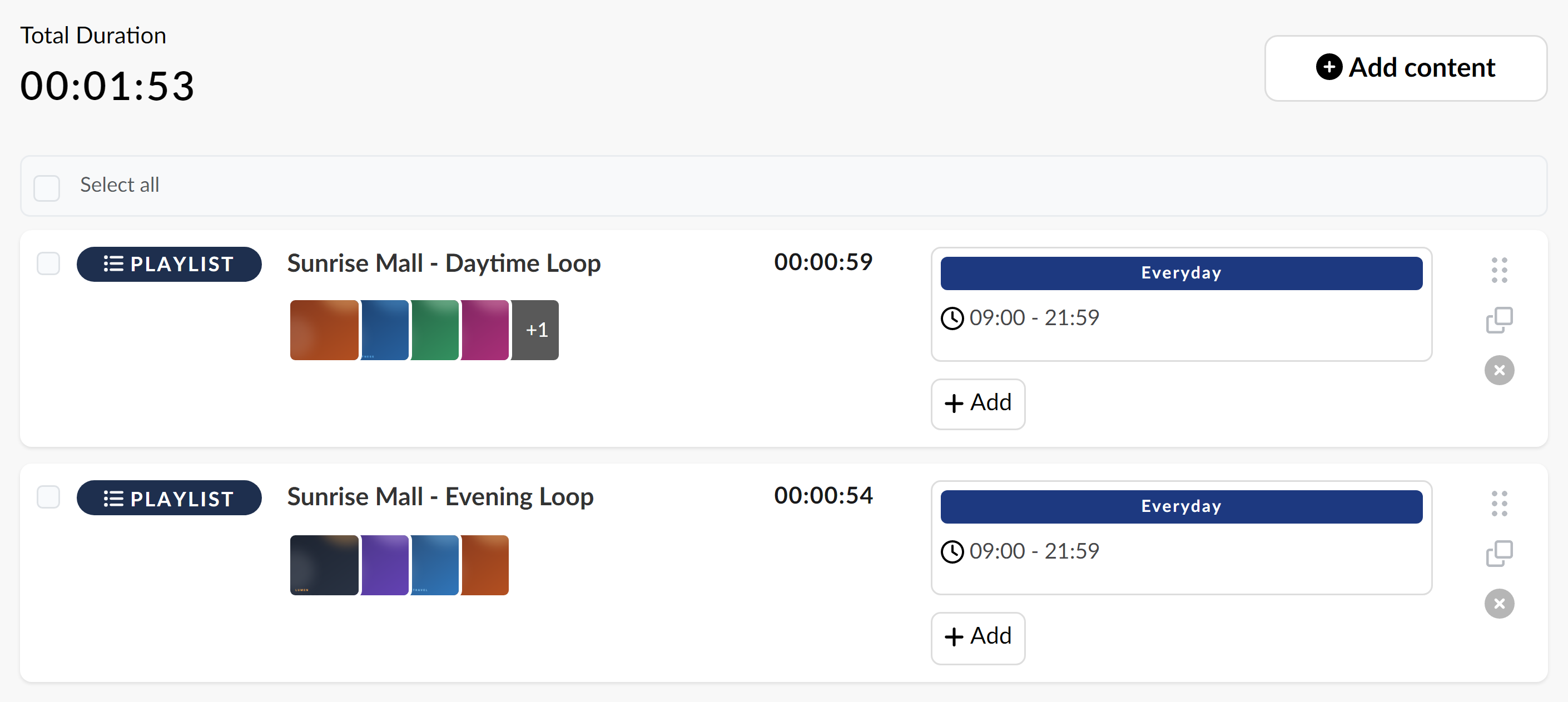
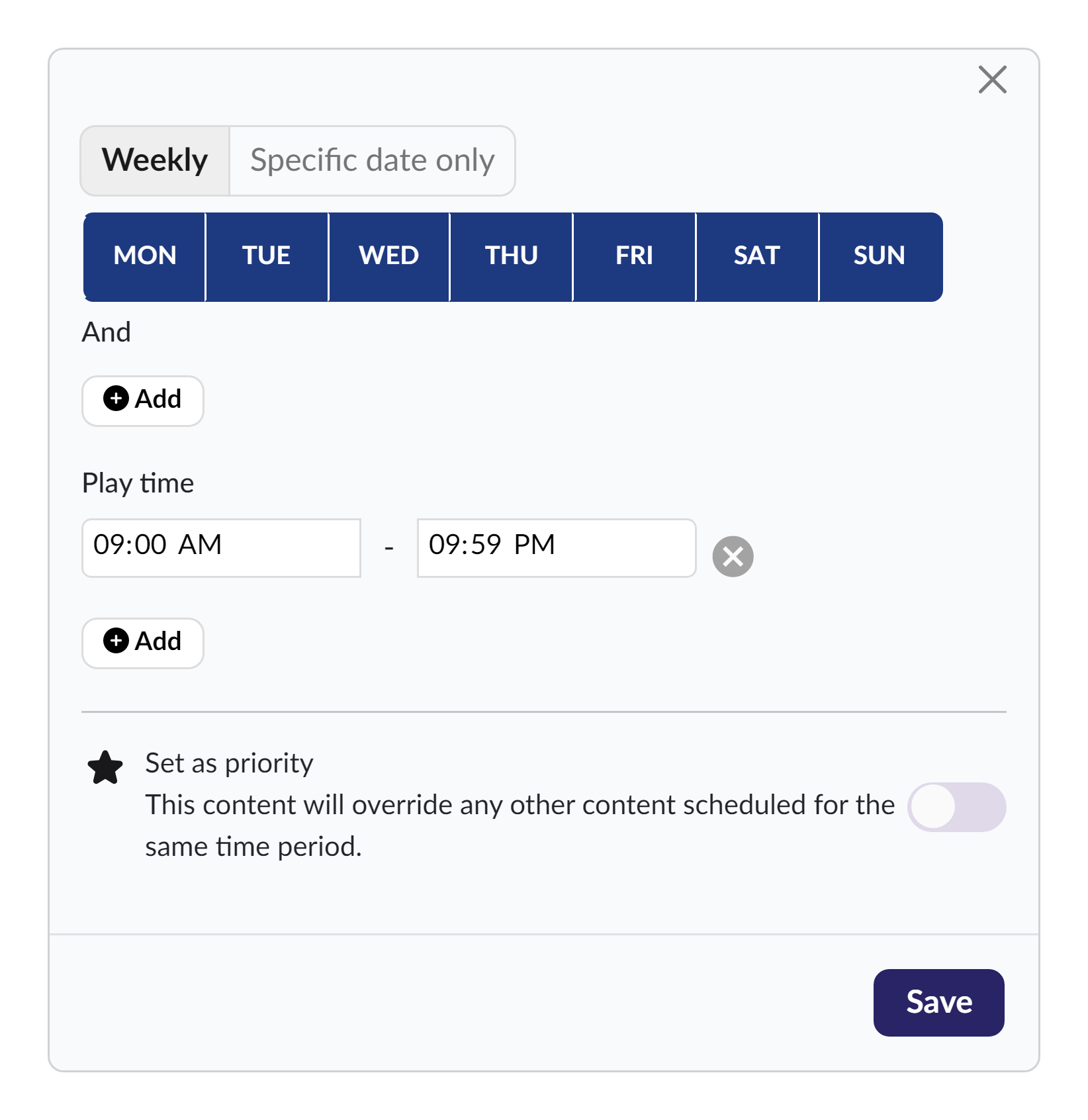
Build a channel, pick the target screens, and set the days and hours it runs. Work on it as a draft for as long as you need — nothing reaches a screen until you publish.
Target by group, tag or space — one channel, the exact set of screens you mean.
Day and time windows — dayparts, weekday and weekend patterns, start and end dates.
Draft, then publish — review the whole schedule before it goes live on the network.
Screen CMS channel with daytime and evening playlists
Screen CMS weekly schedule editor with daily playback windows
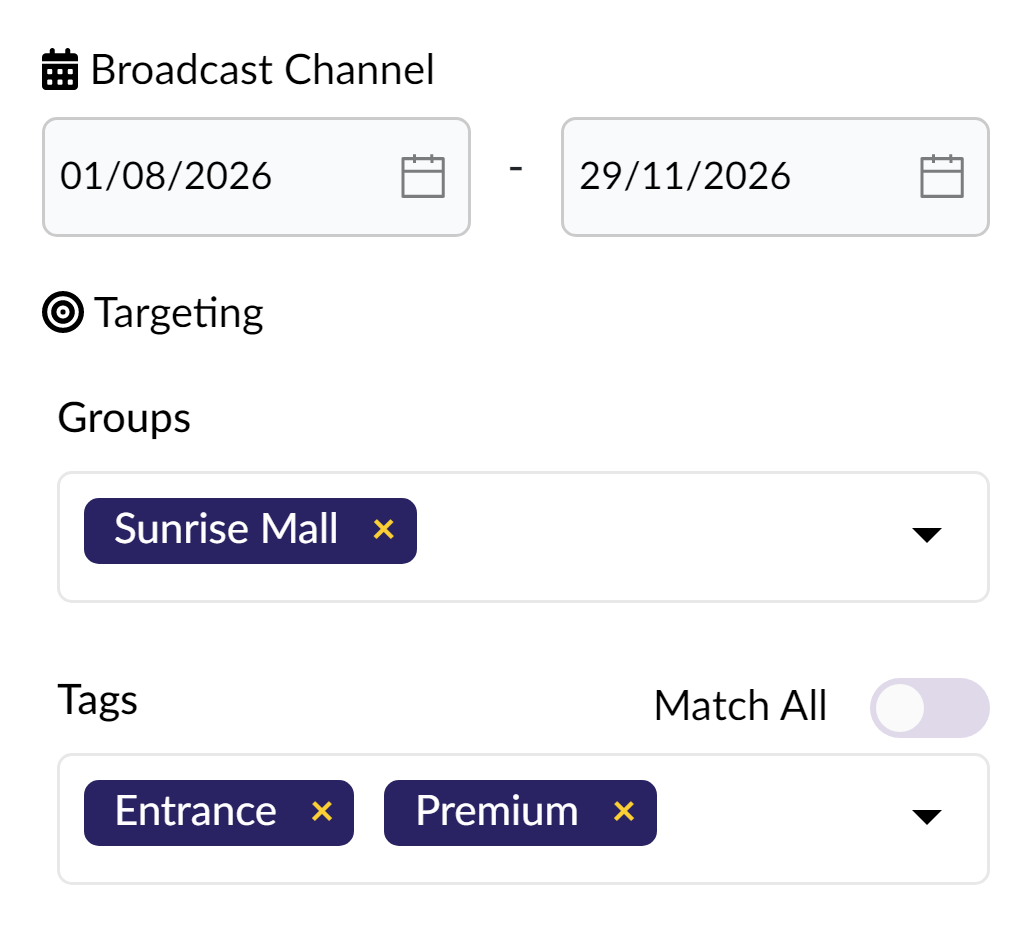
Screen CMS campaign flight dates and venue targeting
Screen CMS remote controls for restart, screenshots, network checks and logs
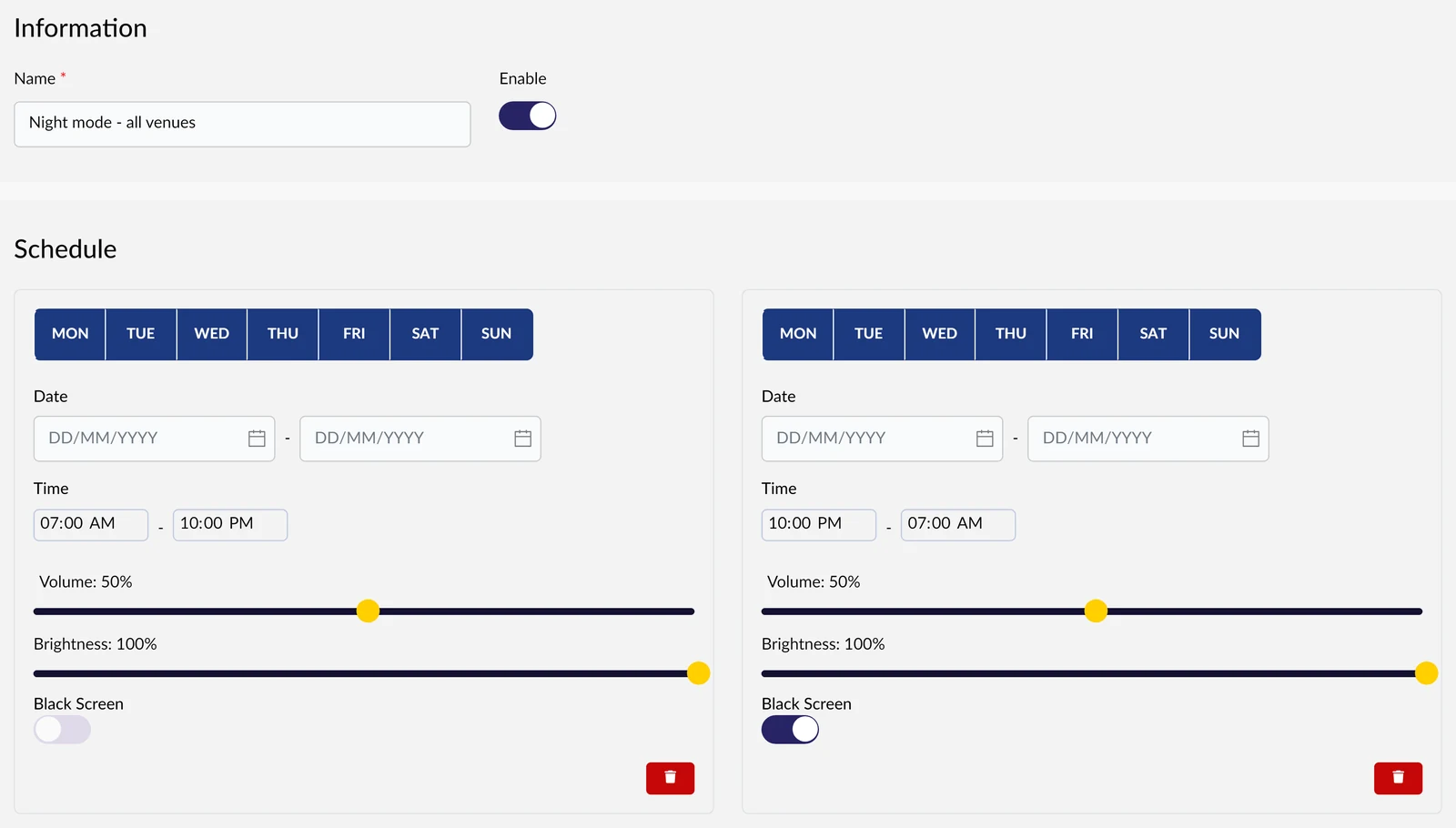
Screen CMS day and night schedules with volume and brightness controls
Scheduled time off
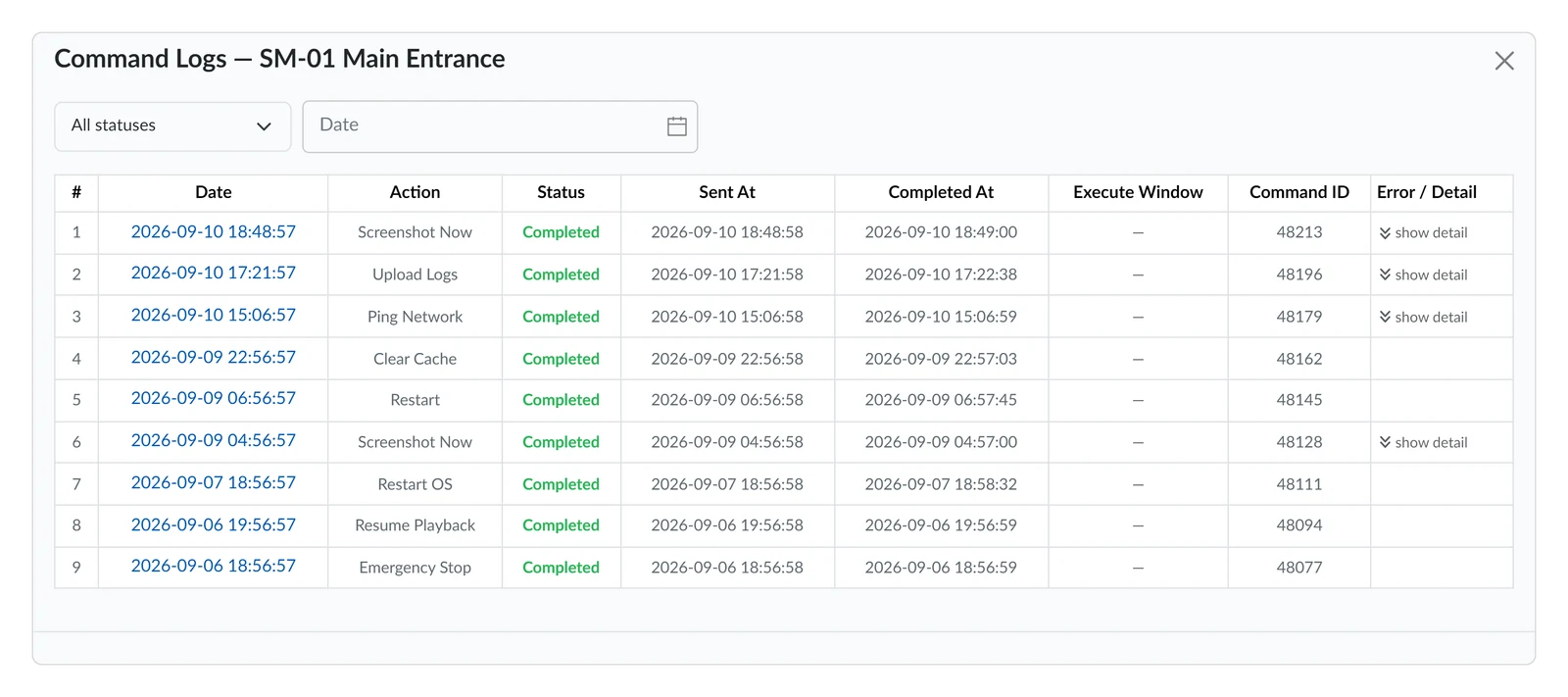
Screen CMS command history with player completion times
Command history
Control

Reach the screen without going there.

Schedule volume, brightness and black-screen windows so a screen behaves differently at 8am and at midnight — or act on it right now, one screen or the whole group. What each operator can trigger follows their permissions and what the device supports.

Monitoring, reporting & access

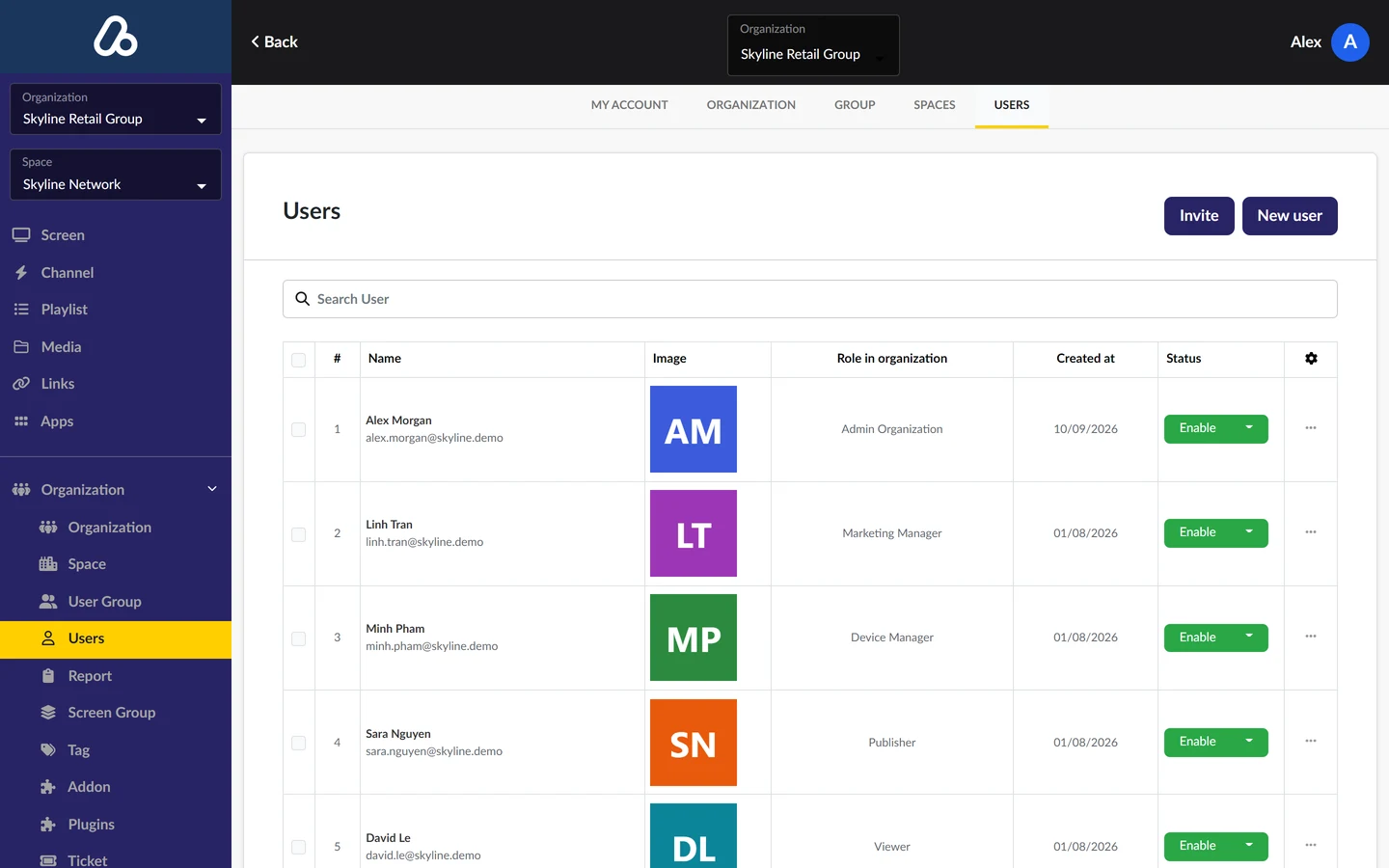
Know what happened on every screen.
Put your whole network
on one console.

Tell us how many screens you run and where they are — we'll walk you through Screen CMS on your own network structure.